![Coinlion_Horiz_Logo_Lockup_Outlined.png]](https://help.coinlion.com/hs-fs/hubfs/Coinlion_Horiz_Logo_Lockup_Outlined.png?height=50&name=Coinlion_Horiz_Logo_Lockup_Outlined.png)
For the protection of user accounts changing your email requires the following steps.
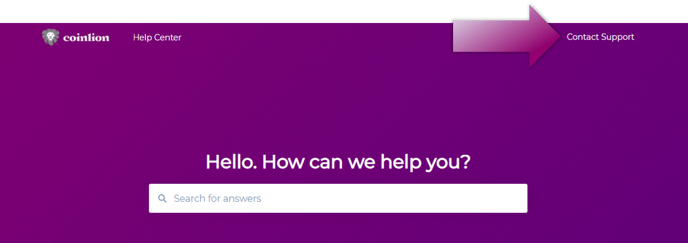
Step 1: Submit a support ticket by contacting Support. Select "Update Profile Info" as the reason.
Step 2: Once received, CoinLion will send a verification code to your email.
Step 3: Respond to the support ticket with the following:
- The verification code sent to your previous email
- Photo of the Front side of your Government-issued photo ID or Passport Cover.
- Photo of the Backside of your Government-issued photo ID or Passport personal page.
- A screenshot of your latest deposit and transaction history.
- A typed version of your new email address. Make sure this new email address was not registered at CoinLion previously.
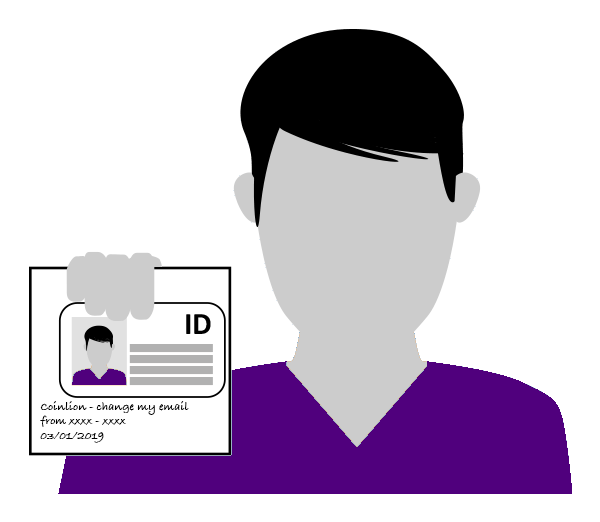
- A selfie photo with the Front side of your Government-issued photo ID or Passport personal page open, together with a handwritten note that states:
- “CoinLion - change my account email from xxxx@xxxx to xxxx@xxxx [and the current date]"
See selfie example below:
Please note, any request may be subject to additional review or scrutiny as deemed necessary and we reserve the right to reject any requests for security purposes.